
As part of the process to moving over to Ticketsolve, it is likely that we will be importing data from your current system into Ticketsolve.
To keep things secure and compliant, we need to receive this data from you in a particular way.
Encrypt Files
Firstly, you will need to encrypt the files that you send over to us. For this, we suggest you use a program called 7-Zip, which allows you to encrypt and password protect your file. This means that if someone were to intercept the file, they wouldn't be able to access it without the password
7-Zip can be downloaded here: https://www.7-zip.org/download.html - choose the correct option for your operating system.
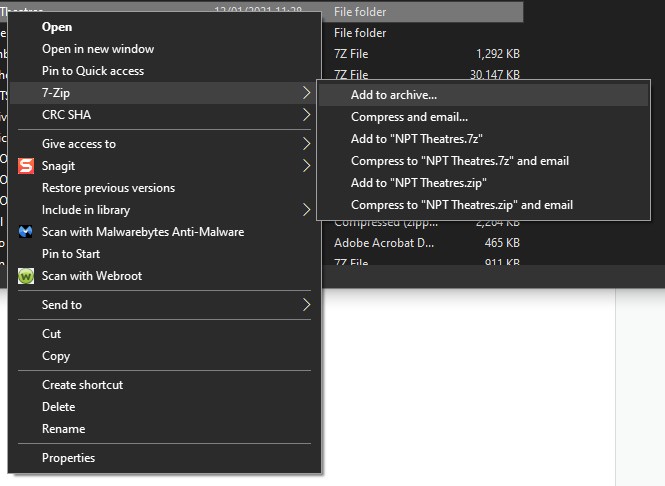
One downloaded and installed, you should be able to right click on a folder or file and in the menu that appears, you will see "7-Zip", hover/click on that and then "Add to Archive".
In the window that appears, put a password into the boxes at the bottom right - everything else should stay the same.
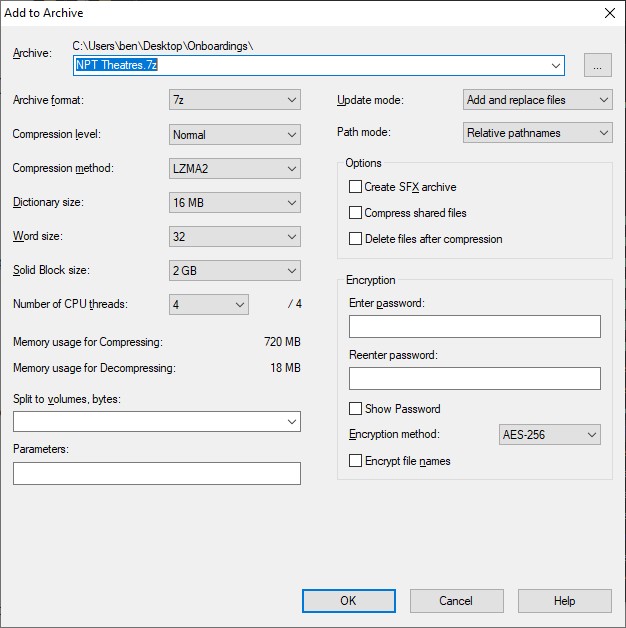
The password you use must be secure. Do not use simple words and numbers - use a mixture of upper- and lower-case letters, numbers and symbols. You can use LastPass Password Generator here: https://www.lastpass.com/password-generator if you don't want to have to think about it!
Once the 7-Zip file is generated, it is ready to send to us.
Send the File Securely
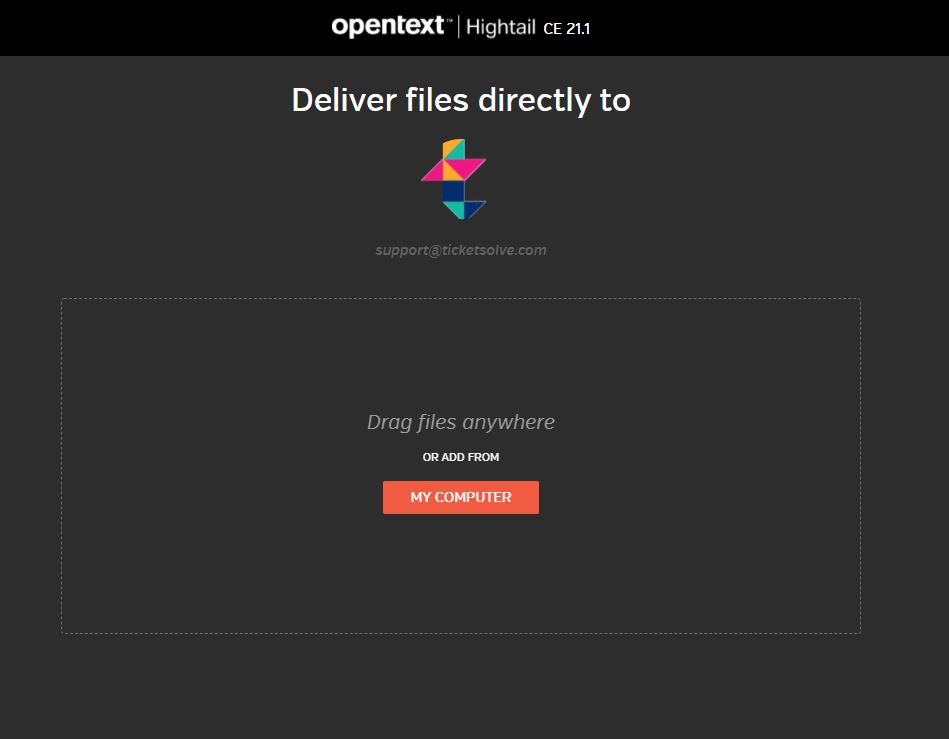
Do not send data files to us via Basecamp or Email. We have a secure upload facility called Hightail; please upload your file here: https://spaces.hightail.com/uplink/ticketsolve
Send Us the File Password
You will need to send us the file password. You can do this either via the telephone - call us on 01 524 0954 (Ireland) or 01865 987 667 (United Kingdom) and ask to speak to the person handling your onboarding. Otherwise, input the password you generated for the file into https://onetimesecret.com/ and send us the link via Basecamp/Email. Note that the One Time Secret link will only work once, so don't click on it to check it's working.
We will confirm we have received the password and the file and that we have been able to open it successfully.
Comments
Please sign in to leave a comment.